In the digital age, efficient data management is crucial to the success of any business. Implementing a NAS server can make all the difference in how corporate data is stored, accessed, and protected. In this article, we'll explore the importance of NAS servers for businesses, highlighting their advantages, essential features, and the setup process—all geared toward computer science and IT teachers. Learn more here!
What is a NAS server and how does it work?
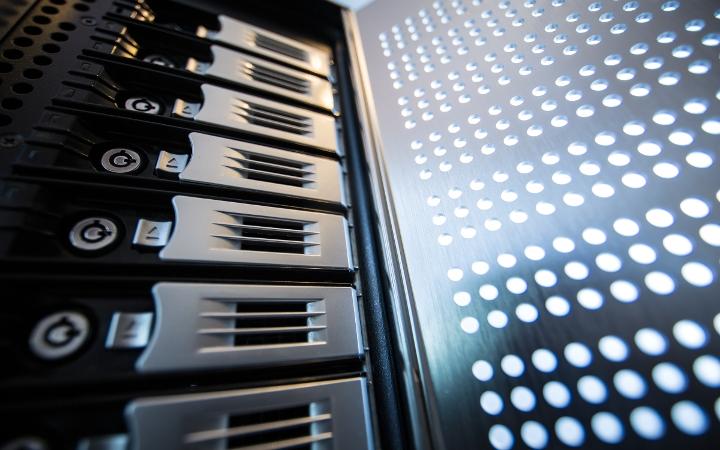
A NAS (Network Attached Storage) server is a network-attached storage device that allows multiple users and devices to access and share centralized data. This server acts as a storage hub accessible from anywhere on the network, facilitating collaboration and remote access to information.
A NAS server also offers various functionalities, such as automatic backups, file synchronization, and centralized data management. These features make it ideal for businesses looking to optimize their storage infrastructure and improve data security. Furthermore, its ease of use and configuration allows any teacher or IT professional to integrate it into the corporate network without complications.
You might also be interested in: What are dedicated servers and why are they important for businesses?
Advantages and disadvantages of NAS servers
Advantages
Implementing a NAS server in a company offers multiple advantages:
- Convenience and flexibility: Common policies can be established in a single step, without having to go from computer to computer.
- Compatibility: A NAS server is compatible with any operating system, whether Windows, Mac, or Linux. It's platform-independent because the protocols for accessing and managing files are standard and open source. For example, you can use a Mac for design and editing, and Windows for administrative or office tasks.
- Speed: This server is capable of supporting multiple accesses from different people, offering great speed.
- Security: One of its main and most important functions is creating backups by installing the NAS as a backup system, thus automating the backup process. It also makes multiple copies of files.
- Enterprise cloud: All the data a company handles can be stored in an enterprise cloud (payroll, multimedia files, emails, budgets, invoices, documents, etc.). Furthermore, access to this cloud can be customized so that each user has a different level of access. Users can access it from any device and location using their credentials.
Disadvantages:
- Initial cost: This can be high depending on the model and capacity.
- Requires management: It needs continuous administration and monitoring to maintain its efficiency.
What features should a good NAS server have?
A good NAS server should have the following characteristics:
- Storage capacity: Sufficient for present and future needs.
- Transfer speed: High speed to handle large volumes of data without delays.
- Compatibility: Support for different operating systems and devices.
- Security features: Advanced encryption options and automatic backup.
- Ease of use:Intuitive and easy-to-use interface.
- Technical support: Access to technical assistance and firmware updates.
Implementing a NAS server with these features ensures that the company can manage its data efficiently and securely.
How do I choose the right NAS servers for my business?
Choosing the right NAS server for a business involves evaluating specific storage and usage needs. It's important to consider the amount of data that will be managed, the number of users who will access the server, and the required security features. Additionally, it's crucial to review the device's scalability to ensure it can grow with the business.
How to set up a NAS server?
Setting up a NAS server can be a simple process if you follow a clear, step-by-step guide. Here's how:
- Connecting the NAS server to the network: Connect the NAS server to your network using an Ethernet cable and turn it on. Make sure all devices on the network can detect the server.
- Accessing the configuration interface: From a computer, open a web browser and enter the NAS server's IP address. This will take you to the administration interface, where you can log in.
- Create storage volumes: Define the volumes and shared folders that users will use. This can include creating different volumes for different departments or types of data.
- Configure users and permissions: Add users and set access permissions for each one. This ensures that only authorized personnel can access specific data.
- Implement backups: Configure automatic backup options to protect your data against loss. Ensure you have an off-site backup strategy.
- Monitor and maintain the server: Use the NAS monitoring tools to track its performance and status. Perform firmware updates regularly to maintain security.
Conclusion
Implementing a NAS server in a business not only improves data management but also optimizes collaboration and security. Thanks to their numerous advantages, from centralized access to scalability, NAS servers are an efficient and indispensable solution for any modern business. Companies will find this technology a valuable tool for their work environments.
In Binhex Cloud, we have been working for years to facilitate and improve the technological activity of our clients, we offer integrated backup solutions with Synology NAS and Active Backup Suite, where the hardware and software complement each other perfectly to offer an integrated security and recovery device. Contact us to get personalized assistance and maximize the benefits of your NAS server.
What is a NAS server?